

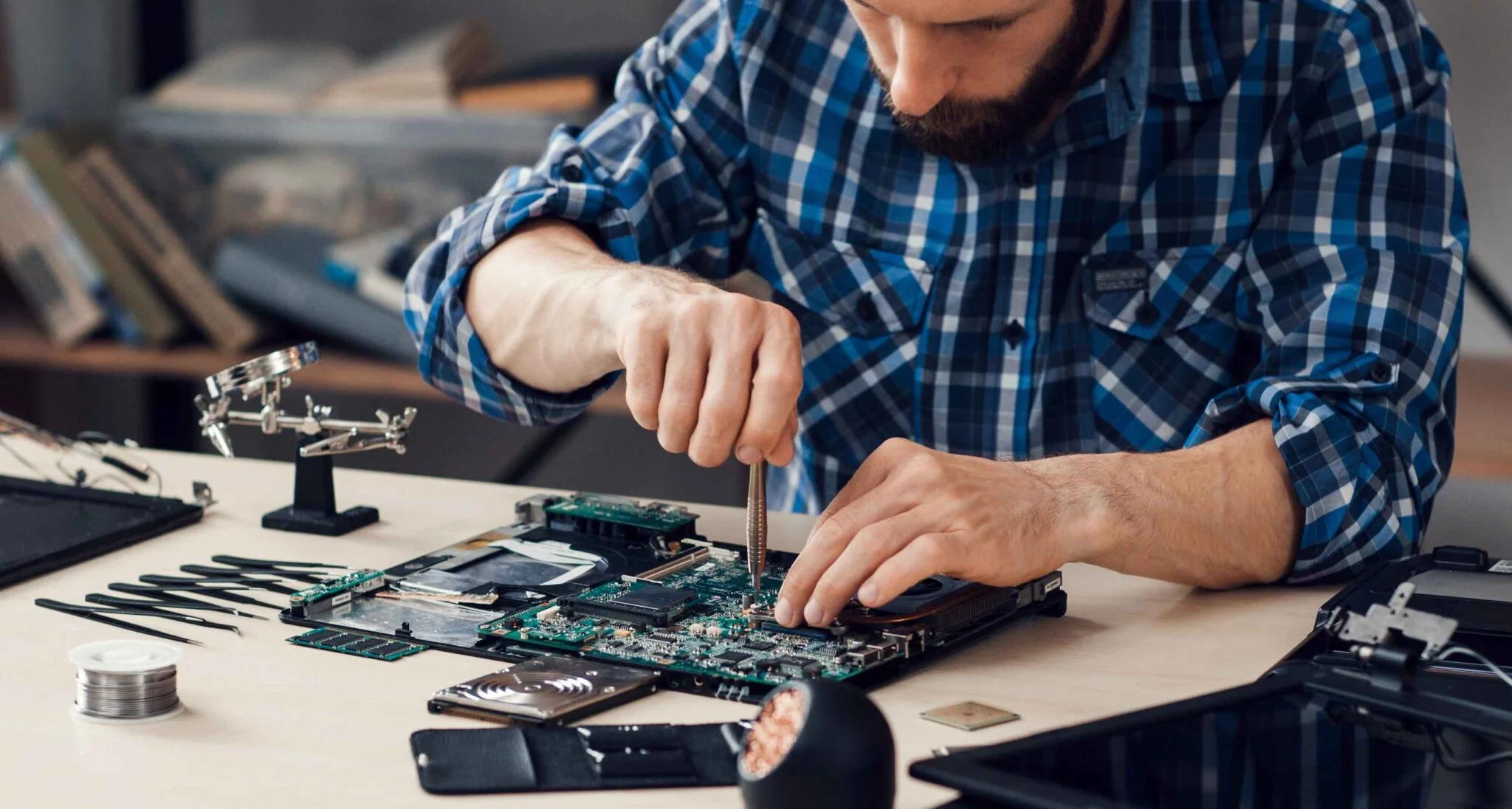
A broken laptop can quickly disrupt work, school, business, and personal tasks. A laptop may stop turning on, show a damaged screen, lose power, or develop keyboard and charging problems. In some cases, the issue starts after an accidental drop. In others, normal wear and age may cause a component to fail.
When a laptop is damaged, broken laptop repair can often restore the device without the cost of buying a new one. The right repair depends on the type of damage, the laptop model, and the condition of its internal components.
Common Reasons Laptops Break
Laptops are built for regular use, but they are not protected from accidents. A laptop can fall from a desk, get knocked from a bag, or suffer damage from pressure during travel.
Physical accidents are one of the most common causes of laptop problems. A fall can damage the screen, hinge, keyboard, hard drive, motherboard, or other internal parts.
Heat can also affect laptop performance. Blocked air vents, dust buildup, and long periods of heavy use can cause the device to run hotter than normal. Over time, excessive heat may affect internal components.
Liquid spills are another serious problem. Coffee, water, juice, and other liquids can reach the keyboard and internal circuits. Even if the laptop continues working after a spill, hidden damage may develop later.
Signs Your Laptop Needs Repair
Some laptop problems are obvious, while others appear gradually. Knowing the warning signs can help you deal with an issue before it becomes worse.
Common signs of a broken or damaged laptop include:
Laptop does not turn on
Screen is cracked or stays black
Keyboard keys do not work
Laptop shuts down unexpectedly
Battery drains very quickly
Laptop does not charge
Charging port feels loose
Laptop becomes extremely hot
Strange noises come from inside
Laptop runs very slowly
Hinges are loose or broken
Wi-Fi or other hardware stops working
If the problem started after a drop, spill, or strong impact, professional inspection is recommended.
Broken Laptop Screen Repair
A damaged screen can make a laptop difficult or impossible to use. Cracks, flickering, lines, dark areas, and a completely black display can all indicate screen damage.
A screen replacement may be possible when the display panel is physically damaged. The correct replacement depends on the laptop model, screen size, resolution, connector, and display technology.
A professional technician can inspect the laptop and determine whether the problem is limited to the screen or connected to another internal component.
Laptop Keyboard and Touchpad Problems
The keyboard and touchpad are essential for everyday laptop use. A few damaged keys can make typing frustrating, while a completely failed keyboard can stop normal work.
Keyboard problems may result from physical damage, liquid spills, worn components, or internal connection issues. Touchpad problems can also be caused by hardware damage or software settings.
Depending on the situation, cleaning, reconnecting a component, replacing the keyboard, or fixing another internal issue may solve the problem.
Laptop Charging and Battery Repair
Charging problems are common with older and heavily used laptops. A laptop may fail to charge because of a damaged charging port, faulty charger, worn battery, or internal power problem.
An aging battery may also hold very little charge. The laptop might work normally while connected to power but shut down quickly after the charger is removed.
A repair technician can test the charging system and battery to identify the actual cause. Replacing only the faulty component can be more practical than replacing the entire laptop.
What About Liquid Damage?
Liquid damage should be taken seriously. If liquid reaches the internal circuits, continuing to use the laptop may increase the damage.
If a spill occurs, disconnect the charger and turn the laptop off as soon as possible. Avoid repeatedly trying to turn it on. Do not use excessive heat to dry the device.
Professional inspection can help determine whether the internal components can be cleaned or repaired. The sooner liquid damage is addressed, the better the chance of limiting further problems.
Why Professional Broken Laptop Repair Matters
Laptop components are compact and delicate. Opening the device without the right tools or experience can damage cables, connectors, screws, or internal parts.
Professional repair focuses on finding the actual cause instead of replacing parts without proper testing. A technician can inspect the laptop, identify damaged components, explain the repair options, and test the device after the repair.
This approach can save time and prevent unnecessary replacement costs.
Repair or Replace Your Laptop?
Not every damaged laptop needs to be replaced. A screen, battery, keyboard, charging port, or other individual component may be repairable.
The decision should consider the laptop's age, overall condition, repair cost, performance, and value. If the laptop is relatively modern and most components are working well, repairing one damaged part can make financial sense.
For an older laptop with several major problems, replacement may be the better long-term option. A proper inspection can help make that decision.
How to Protect Your Laptop
Simple habits can reduce the risk of future damage. Use a protective laptop bag when traveling and avoid placing heavy objects on the device. Keep drinks away from the laptop and make sure air vents are not blocked.
Regularly cleaning dust from the exterior and keeping software updated can also support better performance. Avoid using the laptop on soft surfaces that can restrict airflow.
Taking care of the charger and charging port is important too. Pulling the cable at an angle or putting pressure on the connector can damage the charging port over time.
Frequently Asked Questions
1. Can a broken laptop be repaired?
Yes. Many laptop problems can be repaired, including damaged screens, batteries, keyboards, charging ports, hinges, and some internal components.
2. Is it worth repairing a broken laptop?
It depends on the laptop's age, condition, performance, and repair cost. A repair can be worthwhile when the device is otherwise in good condition.
3. Can a laptop screen be replaced after a drop?
In many cases, yes. If the screen panel is damaged, it may be replaced with a compatible display for the specific laptop model.
4. What should I do if I spill liquid on my laptop?
Turn the laptop off, disconnect the power source, and avoid turning it back on repeatedly. Professional inspection is recommended because liquid can cause hidden internal damage.
5. Why does my laptop turn off suddenly?
Sudden shutdowns can result from overheating, battery problems, power issues, software errors, or damaged internal components. A proper diagnostic check can identify the cause.
6. How can I avoid laptop damage?
Use a protective bag, keep liquids away, maintain proper airflow, handle the charging cable carefully, and avoid placing heavy objects on the laptop.
Final Thoughts
A damaged laptop does not always mean it needs to be replaced. Broken laptop repair can restore important components and extend the useful life of the device. Whether the problem involves a screen, keyboard, battery, charging port, or another component, Infinite Tech Repair can help customers find a practical repair solution and get their laptop back into working condition.